
Yes, you can get a lost snapchat streak back, and you can do it in less than a minute when the Restore button is still next to your chat. Every user gets one free restore, Snapchat+ members get one free restore every month, and the support form is there for the day the button is not. But the clock is against you: Snapchat only brings back streaks that ended a short time ago, so every hour you wait can close the door for good. New to streaks and the friend ranks behind them? Our guide to snapchat planets shows how your closest friends sit in order, and this guide shows how to save the streaks you built with them.
Your streak is gone. Maybe you forgot one day. Maybe your friend forgot. Now the fire is out, and a streak you built for months or even years has dropped to zero. It feels bad, and you are not alone. Losing a snapchat streak is the most common streak problem on Snapchat, and a lost streak hurts more when the number was big.
The good news is that a lost streak is not always dead. Snapchat gives you three ways to bring it back, and the first one takes less than a minute. This guide covers snapchat streak restoration in full: all three ways, what each one costs, and what to do when the normal way fails.
The steps are the same on iPhone and Android, except one part that is only on iPhone, and that part is clearly marked. If you are asking how to restore snapchat streak after it ends, start with Way 1 right now, because time is the one thing that can kill your chance.
Can a Lost Snapchat Streak Be Restored? The Rules First
Not every dead streak can come back. Snapchat restores only recently expired streaks. If your snapchat streak lost its fire a short time ago, you still have a chance. If it ended long ago, no way in this guide can bring it back, and any website that promises that is lying to you.
The test is simple. Open the app and look at the chat. If Snapchat still lets you restore that streak, you will see a Restore button or a fire emoji button next to the chat. If the button is not there, the streak ended too long ago. Snapchat never shares an exact number of hours for this restore window, so nobody can tell you a fixed deadline. The rule to remember is short: the sooner you act, the better your chance.
One more rule saves a lot of confusion. Restoration works for a group chat streak and for a private chat streak in the same way. And your first restore does not cost money, because every user gets one free Streak Restore. The ways below start with the fastest one.
Way 1: Restore in the App With the Restore Button
This is the fastest snapchat streak restore method, and for most people it is the only one they need. It works right inside the app. This is the method behind most restore streaks snapchat searches, because it is built into Snapchat itself.
- Open Snapchat and go to the Chat screen.
- Find the chat that had the streak, with your friend or your group.
- Tap the Restore button next to the chat. On some screens, you tap the fire emoji button instead.
- Follow the steps on the screen and confirm. Your streak number comes back at once.
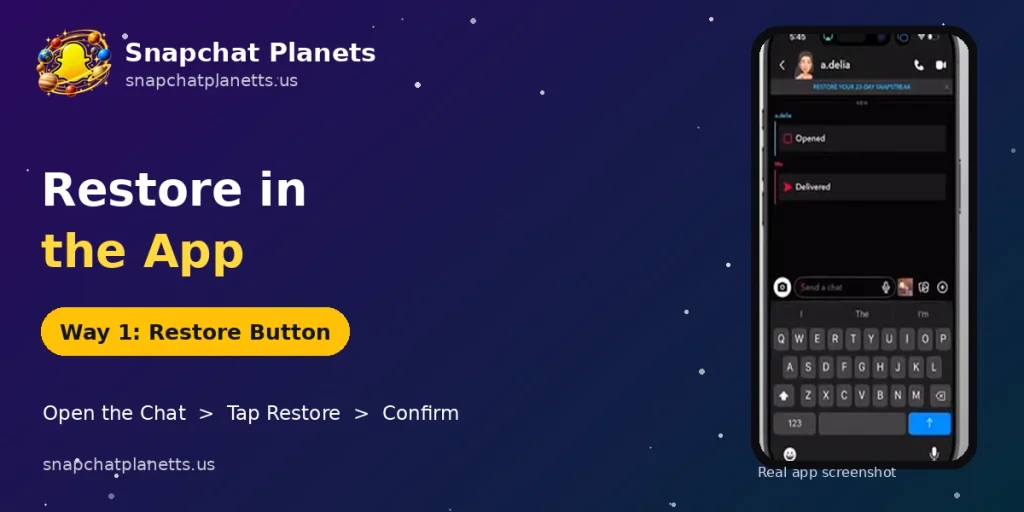
Your first restore is free. After you use your one free Streak Restore, the app shows you a price before you pay. That price is not the same in every country, and Snapchat does not publish one fixed price for everyone. So check the price on your screen and decide if the streak is worth it.
Once you restore a snap streak, the job is not over. The streak is alive again, but the daily rule starts again at once. You and your friend must both send a snap in the next 24 hours, or the streak dies a second time. Many people lose a restored streak this way, so send a snap right after the restore, not later. Make that snap fun: learn how to make a sticker on snapchat and put your own sticker on it.
Restore All: Bring Back Several Streaks at Once
Lost more than one streak on the same day? On iPhone, you may not have to fix them one by one. If several of your streaks can be restored, tap Restore next to one chat and choose Restore All. Then tap Restore again and follow the steps, and every expired streak that qualifies comes back together. This is the easy way to restore a snap streak when you lost three or four on the same day.
This option is only on iOS right now. On Android, use the normal Restore button for each chat, one at a time. Snapchat does not say how many streaks you can restore at once, so if one streak has no button next to it, that one ended too long ago and stays out.
Way 2: Use Your Free Snapchat+ Monthly Restore
If you pay for Snapchat+, you get one free Streak Restore every month. This is part of your membership, and it is the best deal for people who lose a snapchat streak more than once.
- Open your profile and go to My Account.
- Tap your membership card for Snapchat+.
- Tap Streak Restore.
- Pick the expired streak you want back, and confirm.
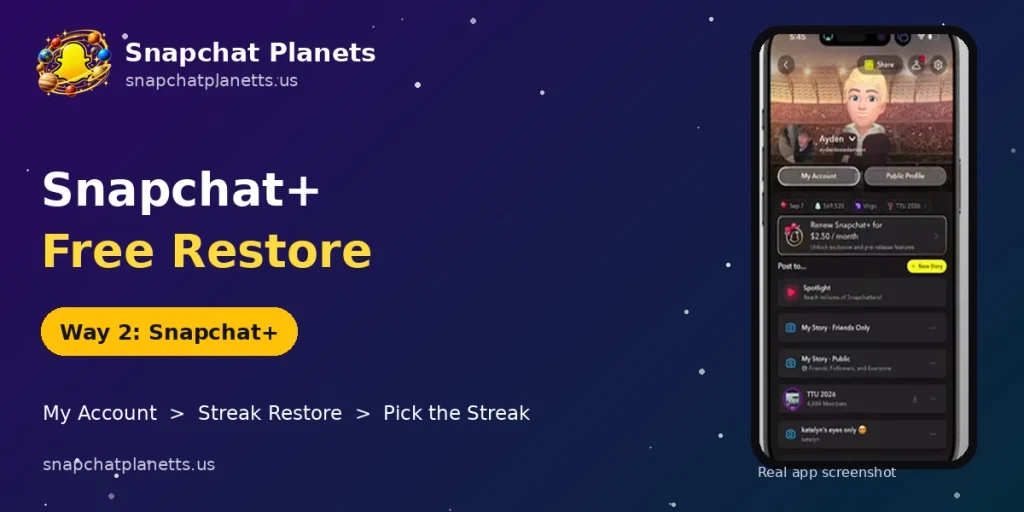
Your month does not start on the first day of the calendar. It starts on your subscription date, the day you joined Snapchat+. If you joined on the 14th, your free restore comes back on the 14th of the next month. And an unused restore does not roll over. If you do not use it in the month, it is gone.
Used your free one already and lost another streak in the same month? Then the next restore is paid, and you buy it inside the app at the price your screen shows.
Way 3: Fill the Snapchat Support Form
Sometimes the button is missing, or the restore inside the app fails. Then your last real option is to ask Snapchat Support with the support form. This is also the route for a snapchat restore streak request when the app gives you nothing.
- Open Snapchat Support in your browser, or from the app settings under Support.
- Open the streak restore form for a lost streak.
- Fill in your username, the username of your friend, and what happened to the streak.
- Send the form and wait for Snapchat to review it.
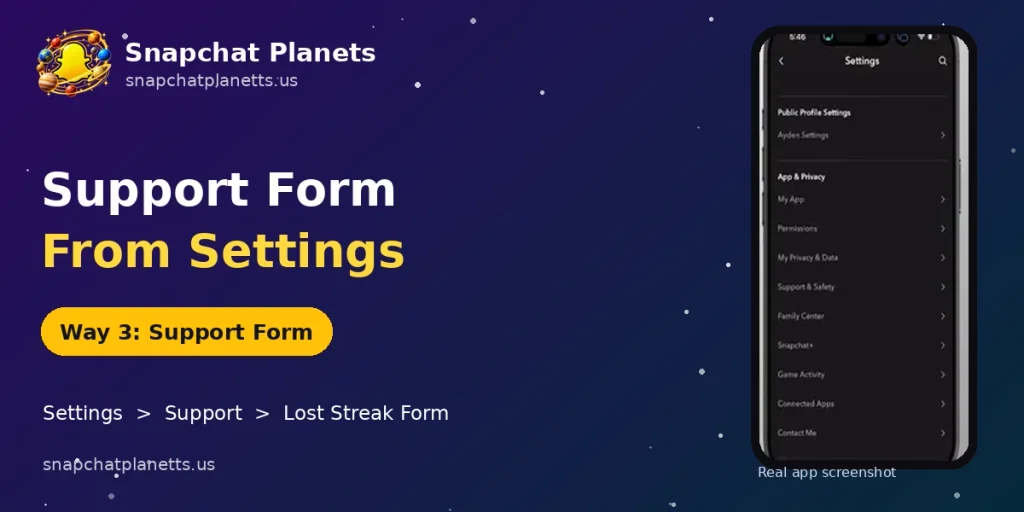
Make your form strong. Write the exact date the streak ended, how long the streak was, and what went wrong. If the app closed, froze, or showed an error at the wrong moment, say so in plain words. A clear form with real details gives the review team something to work with.
Be honest about what this form can do. Snapchat reviews these requests, and it restores only recently expired streaks this way too. A form cannot save a streak that died long ago, and there is no promise that your streak will come back. Still, if the streak ended by a clear app error, the form is the right place to explain it. This is the official snapchat streak recovery path, and it is free.
Snapchat Streak Restoration at a Glance
Here is the whole guide on one table.
| Way | Cost | Who can use it | Time limit | Best for |
|---|---|---|---|---|
| In the app with the Restore button | First restore free, then the price on your screen | Everyone | Recently expired only | The fastest fix |
| Restore All | Same as above | iPhone users | Recently expired only | Many streaks lost on one day |
| Snapchat+ monthly restore | Free once a month with Snapchat+ | Snapchat+ members | Recently expired only | People who lose streaks often |
| Support form | Free | Everyone | Recently expired only | No button, or the restore failed |
Read the table with one fact in mind. Every way has the same wall: recently expired only. Money cannot buy back an old streak, and Snapchat+ cannot either. Speed is the real price of a restoration.
Restore Button Not Showing? What to Do
This is the problem behind most snapchat streak restoration not working searches. You open the chat, and there is no button. In most cases the reason is simple and hard to hear: the streak ended too long ago, and Snapchat closed the window.
Before you accept that, do two quick checks. Update Snapchat to the newest version, because an old app can hide new buttons. Then close the app fully and open it again, and check the chat one more time. If your restore started but the payment failed, check your App Store or Google Play payment settings, because a failed payment stops the restore.
If the button is still not there, send the support form from Way 3 and explain what happened. And stay away from outside tools and websites that offer a streak restore for your login. No outside site can restore a streak. Only Snapchat can. A site that asks for your password is after your account, not your streak.
Keep Your Next Snapchat Streak Alive
A restored streak can die again the next day, so learn the one warning sign. When the hourglass emoji appears next to a chat, your snapchat streak is in its last hours, about four hours in most cases. When you see it, send a photo or video snap at once, and tell your friend to do the same. The friend on the other side of that streak is usually at the top of your best friends list planets too, so one missed day can cost you both the fire and the rank.
The simple habit that saves streaks is a fixed daily time. Pick one time of day, send your streak snaps then, and the 24 hour clock never surprises you. Both sides must send a snap every day, because a streak is a two person job. A streak also ends for good if one of you removes the other as a friend, and no restore can fix that. If you ever need it, our guide on how to unfriend someone on snapchat shows what happens after.
Group streaks need the same care. In a group chat, most members must send a snap every day to keep the group streak alive. If your group streak matters to you, remind the quiet members before the day ends, not after.
FAQs
Can I restore a Snapchat streak after a week?
Almost always, no. A day or two after the end, the Restore button may still be there, and then the restore works. After a week, the button is nearly always gone, because Snapchat restores only recently expired streaks. The support form follows the same rule, so it cannot save a week old streak either.
Will my friend know if I restore our streak?
Snapchat does not send your friend a special message that says you restored the streak. The fire emoji and your old streak number simply appear in the chat again. So your friend will see that the streak is back the next time they open the chat, but they get no restore alert.
Can a streak come back on its own if we start snapping again?
No. If you start snapping again after a streak ends, a brand new streak begins, and the count starts again from the bottom. Your old number comes back only through a restore, with the button, with Snapchat+, or with the support form.
Can I restore the same streak twice?
Yes, if the same streak ends a second time, you can restore it a second time, if it is still recent. But every restore uses one of your restores. Free users have only one free restore in total, and Snapchat+ members get one free restore a month. So the second death of the same streak may cost you money.
How long does Snapchat take to restore a streak after I send the form?
A restore inside the app works right away, in the same minute. The form is slower, because Snapchat reviews the request first. Snapchat does not promise a fixed time for form answers, so send the form early and keep snapping with your friend while you wait.
Conclusion
A dead streak is not always the end. If the Restore button is still next to your chat, your snapchat streak restoration takes less than a minute, and your first one is free. If the button is gone, the support form is worth one try. And if nothing works, start again today, because a new streak built daily beats an old number you cannot save.
How we checked these steps: every step in this guide comes from the official Snapchat Support pages and was checked again on the latest Snapchat app. Where Snapchat does not share a number, like the exact restore hours or one fixed price, this guide tells you the truth instead of a guess. That is the promise on every guide on this site.