
Almost every snapchat profile viewer search starts with one of two needs. Either you want to view a Snapchat profile without the app, or you want to know who is viewing yours. One fact saves you a lot of time before you read further: Snapchat keeps no record of profile visits at all. That single fact is why every site that promises you a list of your profile viewers is selling something that does not exist.
Both searches use the same words, but they are not the same job. The tool sites on page 1 only do the first job, and most of them do even that in a thin way. None of them answers the second question properly, even though it is the question in this title. Not one of them tells you what an owner can actually see, and not one of them mentions the single real exception, the Business Profile Views count, which this guide covers in full below.
This guide answers both, with the limits stated plainly. Every claim in it is checked against Snapchat’s own Support and Business Help pages, not copied from tool sites. By the end you will know what a viewer can show, what it can never show, what you as an owner can actually see, and how to check your own real numbers inside the app in under a minute. If you came here from our Snapchat Planets in Order guide, this is the other side of a profile: the badges are public, the visits are not.
Can You See Who Views Your Public Profile on Snapchat?
No. You cannot see who views your public profile on Snapchat. There is no list, no notification, no count of names, and no hidden screen inside the app where profile visitors are stored. This is the exact answer to can you see who views your public profile on snapchat, and it does not change with the type of account you have:
- Private profile: no viewer list.
- Public profile: no viewer list.
- Creator account: no viewer list.
- Business Profile: a total view count only, never names. That case is covered in its own section below.
- Snapchat+: no viewer list.
People ask the same thing in other words: can you see who viewed your snapchat profile, does snapchat show who viewed your profile, does snapchat have profile views at all. The answer never changes with the wording.
Why are people so sure the list must exist? Because a close version of it does exist, one tap away. Your Story viewer list is real. Your Spotlight view count is real. Your subscriber count is real. It is natural to think one of these is quietly logging profile visits too. None of them is. Each one logs content, not page visits. Snapchat draws the line in a simple place. Looking at a page is passive viewing, and passive viewing leaves no record the owner can see. Playing content is active engagement, and active engagement is recorded. Your whole answer sits on that one line, and every section below is just that line applied.
What Is a Snapchat Profile Viewer and How Does It Work?
A snapchat profile viewer is a website where you type a Snapchat username and it shows you that account’s public profile page, read from the open web. Nothing more. Here is what actually happens when you use one, step by step:
- You enter a username, or paste a profile link. The link looks like snapchat.com/add/username. The part after /add/ is the username. The display name is not the username, and searching by display name is the most common reason a lookup fails.
- The tool opens the public web page for that account. It does not log in as you. No Snapchat account of yours is involved, no session is created in your name.
- It reads the fields that page already publishes: display name, bio, and the subscriber count when the owner has chosen to show it.
- You get one result card with those fields. If the account is a personal account, you get nothing back, because Snapchat publishes nothing about personal accounts on the web.
A snapchat public profile viewer is simply this same tool used on a public account. The name changes, the data does not.
That last point matters. A result that says not found does not mean the account is fake or deleted. It usually means the username belongs to a personal account, or the username was typed wrong, or it was changed. Snapchat usernames can be changed once a year, so an old username can simply stop working. And a subscriber count that says hidden does not mean zero. The owner turned the count off in their settings. The profile is still there. The number is just not public, and no tool can read a number the owner has switched off.
Popular Snapchat Profile Viewers
Four names come up again and again on this search, and each one does one small job. Here they are with honest one-line facts, so you know what each tool really is before you open it.
- 1Lookup: a free snapchat profile viewer that shows a public profile’s display name, bio, and subscriber count without any login. It is the most complete of the four, and it states its own limits clearly.
- Snaplytics: a viewer for public profiles that shows subscriber counts, public Stories, and saved Highlights. It also names the Snapcode and badge status of public accounts.
- Storiewer: a no-login tool that shows public profiles, Stories, Highlights, and profile pictures. Be careful with its bigger claims, though. It also promises Snap Score, friends list, and Snap Map location, and no public page publishes any of those.
- SchatDownloader: a profile picture viewer and DP downloader that shows the public profile picture in full size, with tools for public videos next to it.
Notice the pattern. Every honest tool on this list reads the same public page and shows the same small set of fields. The tools differ in design and extra features, not in secret access. When a fifth site promises far more than these four, that promise itself is the warning sign, and the safety section below explains why.
What a Profile Viewer Shows, and What It Never Shows
Every snapchat profile viewer faces the same limit, and this is where most tool pages get vague, because a short list looks weak next to a long promise. Here is the honest version, in one table.
| Can a viewer show it? | What it is |
|---|---|
| Yes, when public | Display name and username |
| Yes, when public | Bio and any website link in the bio |
| Yes, when the owner shows it | Subscriber count. Large counts are published rounded. A profile shown as 3.59M comes back as a full rounded figure, and the real count sits somewhere near it. Small profiles usually come back exact |
| Sometimes | Profile picture, when the public page returns one |
| On story viewer tools | Public Stories, saved Highlights, and Spotlight videos that the owner made public |
| No, never | Snaps and Stories from a personal account. Those go to friends only |
| No, never | Who viewed a profile, yours or anyone else’s |
| No, never | Snap Score. A Snap Score is visible only between friends, inside the app |
| No, never | Friends list. Only the owner sees their own |
| No, never | Private profile content of any kind |
Read the bottom half again before you trust any tool. If a site claims it can show your Snap Score to strangers, list your friends, open a private profile, or tell you a profile’s last active time or Snap Map location, it is claiming data that the public page does not publish. There is nothing for it to read. One well-known viewer page promises exactly those things, Snap Score, mutual friends, and Snap Map location included. They are not real features. They are bait.
How to View a Snapchat Profile
There are four real ways to view a Snapchat profile, and which one you need depends on the account. None of them needs a snapchat profile viewer site at all.
In the App, by Username Search
- Open Snapchat and tap Search at the top.
- Type the username or display name.
- Tap the result to open the profile.
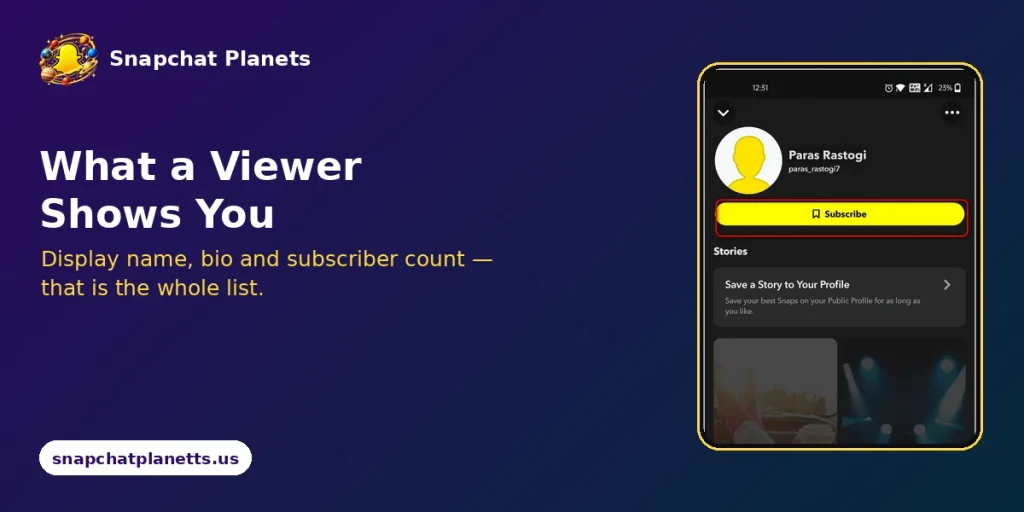
On a friend profile you will see the Bitmoji, display name, username, Snap Score, and your friendship signs, including your planet badge if you both use the Friend Solar System. Our Snapchat Best Friends Planets guide explains what each badge means. On a public profile you will see the photo or Bitmoji, bio, subscriber count, Public Story, saved Highlights, and Spotlight posts. On a private profile that is not your friend, you see the basic card and an Add Friend button, and nothing else until they accept you.
You can also open a profile from your chat list, by tapping a person’s Bitmoji in a chat. If a grey X sits next to a name there instead of a camera icon, our guide on what does the X mean on Snapchat explains what that means and what to do about it.
With a Snapcode
Every account has a Snapcode. Open the Snapchat camera, point it at the code, and press and hold the screen to scan it. The profile opens at once. This is the fastest route when someone shares their code on another app or in print, and it removes the username spelling problem completely.
On the Web, Without an Account
A public profile also has a public web page. Plenty of people view snapchat profile pages this way every day, without the app. Go to snapchat.com/@username or use the snapchat.com/add/username link, and you can see the public parts: display name, Bitmoji, subscriber count, public Stories, Spotlight, and Lenses. This is the same page every viewer tool reads.
One honest warning belongs here, because the tool sites skip it. Snapchat’s own Support page for this exact question says you can only access friends’ and other Snapchatters’ profiles in the Snapchat mobile app. Both things are true at once. The profiles of friends and regular users live in the app only. The web page exists for the public profile a creator chose to publish. If the account has no public side, the web gives you almost nothing, and the app is the only door.
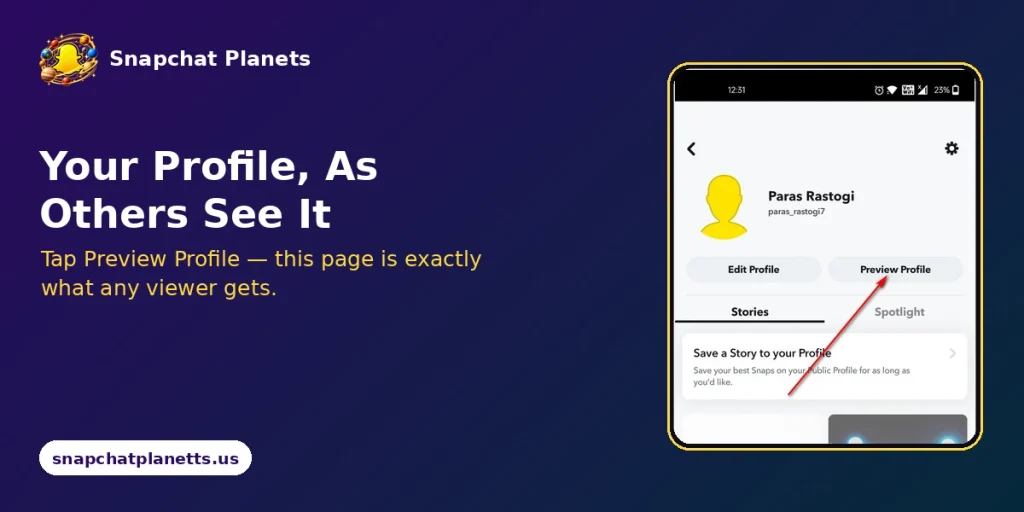
Your Own Public Profile, as Others See It
- Open Snapchat and tap your Bitmoji at the top left.
- Scroll to Public Profiles and tap your Public Profile.
Snapchat says users aged 16 and over have a Public Profile they can choose to use, while their personal profile stays visible to friends only. Use this view to check your bio, photo, and saved content before you share your username anywhere public.
Profile Views vs Story Views: The Line That Explains Everything
| Action | Owner can see it? | What the owner gets |
|---|---|---|
| Open your profile page | No | Nothing |
| Read your bio or check your Snap Score | No | Nothing |
| Open your saved Highlights | No | Nothing |
| Check you on Snap Map | No | Nothing |
| Watch your Story or Public Story | Yes | Your username on the viewer list |
| Rewatch your Story | Partly | A rewatch mark for Snapchat+ owners, on Stories only |
| Watch your Spotlight video | Partly | The total view count goes up, no name |
| Screenshot a Snap, Chat, or Story | Yes | A screenshot notification |
| Subscribe or add you as a friend | Partly | The subscriber count rises, or a friend request arrives |
This table is the whole truth about snapchat profile views in one place. People get confused because both sides use the word view. On Snapchat they are different acts. One is looking at a page. The other is playing content. Only playing content leaves a name.
Other apps place this line in other places, and knowing that stops a lot of bad comparisons. TikTok can show profile viewers, but only when both people turn on profile view history, and only for accounts under 5,000 followers, keeping 30 days. LinkedIn lists profile viewers unless the viewer uses private mode. Instagram, Facebook, and X do not list profile viewers at all, like Snapchat. Snapchat has simply never added the switch. There is no setting, on any plan, that turns profile view history on.
What You Can See as a Profile Owner: Your Story Viewer List
Forget the viewer list that does not exist. Here is what Snapchat genuinely puts in front of an owner, and it is more useful than the tool sites admit, because none of them covers this side at all. This is the one true viewer list on Snapchat, and it belongs to Stories, not profiles. If you searched how to see who viewed your public profile on snapchat, this list is the closest real thing Snapchat gives you.
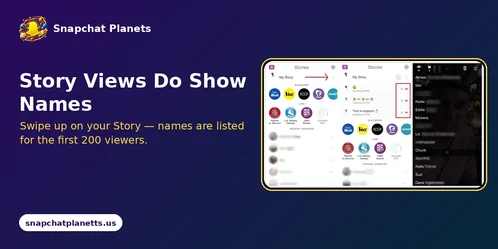
- Open Snapchat and tap your Story.
- Swipe up on the screen.
- Read the viewer list. Every username there watched that Snap, in order.
For a Public Story, the same swipe up opens Insights and Replies. Snapchat Support describes it exactly this way: tap your public Story Snap, swipe up, and the friends, followers, and other Snapchatters who viewed it are listed under Viewers, with their Story replies below. Snapchat shows the names of the first 200 viewers of a public Story in that list, so a busy creator sees the earliest names in full and the rest as counts.
Use this list well. It names the people who chose to watch your content. That is a stronger signal than a profile visit, which can be one mistaken tap. If the same names appear on Story after Story, that is your real audience. Watching works the other way too. When you watch someone’s Story inside the app, your name joins their list. If you want to understand exactly when your name appears and when it does not, read our guide to the anonymous Snapchat story viewer.
Public Profile Insights: Numbers, Not Names
If you have a Public Profile, open the Insights tab. This is the official creator analytics page, and it shows:
- Each recent Public Story with its viewers and number of Snaps.
- Per Snap: views, viewers, screenshots, and swipe-ups.
- A 28-day summary of how your content is trending, with shorter 7-day views for fresh posts.
- Average view time on your Stories and Spotlight posts, which shows how long people actually stayed.
- Per Spotlight post: views, favourites, and shares, plus unique viewers and new followers from that post.
- Your follower count, and age and gender splits in Audience Insights once you pass 200 followers.
Notice what is missing from that list, because it is the whole point. There is no line for profile visitors. Insights can prove your content is growing. It cannot tell you that a named person opened your profile page.
Spotlight Views and Subscriber Count
Spotlight gives you totals only: view count, favourites, shares. No names are attached to those numbers, for any account size.
Your subscriber count is also only a number. When it rises, someone subscribed. Snapchat does not hand you a dated list of subscribers, and it never connects a subscriber to the profile visits they may have made first.
The One Exception: Business Profile Views Count
There is one real exception to everything above, and not one of the eight big viewer sites mentions it. It belongs to Business Profiles. If you run a Business Profile, open Business Manager and look at the Audience section. Snapchat lists a metric called Profile Views: how many views your profile received, by day. Next to it you can see total subscribers, and subscribers gained by source, split into Discover, Lens, Profile, Search, Spotlight, and Other.
That is genuinely useful if you run a brand page or ads. A rising count tells you your Stories and Spotlight posts are pushing people to your page. But hold the limit firmly:
- It is a total count, like 340 views this week.
- It shows no usernames, no times, and no repeat visits by one person.
- It exists only for Business Profiles in Business Manager. A normal account, a creator account, and a public profile in the app do not get it.
So even here, the answer to can you see who viewed your public profile on snapchat stays no. You can count the views on a business page. You cannot name a single viewer. Anyone who tells you a business account unlocks the names is selling you something that does not exist.
If You View a Snapchat Profile, Will They Know?
No. Can people see when you view their snapchat profile is the same question asked from the other side, and the answer is also no, as long as you only view it. Opening a profile page sends no notification, creates no viewer list entry, and leaves nothing in the owner’s Insights. This is true for friends, non-friends, public profiles, and private profiles.
The moment you act, the answer can change:
- Watch their Story: your name joins their viewer list for that Story.
- Watch it through a story viewer tool that never logs in: no entry is created, because no session in your name ever existed. That is the one real trick those tools have, and it only works on public Stories.
- Screenshot their content: they get a screenshot notification.
- Reply, Snap, or Chat: they see it directly.
- Subscribe: their subscriber count rises by one, with no visit record attached.
Quiet looking is also why Do Not Disturb signs matter on the other side. A person who muted a chat can still open your profile in complete silence. Silence on Snapchat is normal design, not a clue that someone is hiding.
Does Snapchat+ Show Who Viewed Your Profile?
No. Snapchat+ has no profile viewer feature, on any tier, and it never has.
The same no covers every form of the question: does snapchat plus show profile views, does snapchat plus notify profile views, and can snapchat premium see profile views. The confusion comes from one real feature: the Story Rewatch Indicator. With Snapchat+, you may see an eye mark showing that someone watched your Story more than once. People hear rewatch and think profile tracking. It is not the same thing. The mark is about one Story. It says nothing about profile visits, and it does not turn into a visitor list.
Snapchat+ also does not show who checked your Snap Map location, who opened your profile the most times, or who viewed your Snap Score. Do not buy the plan for any of those reasons. And if a video walks you through a fake settings path that claims to switch on profile view history, close it. That setting does not exist.
Fake Profile Viewer Tools and Fake Accounts: How to Spot Both
There are two different risks on this topic, and they need two different checklists.
The Fake Viewer Tool
A tool is fake or dangerous if it does any of these:
- Asks for your Snapchat password or login code. A real public viewer never needs your login, because it never signs in.
- Asks you to install an app, a browser add-on, or an APK file. Viewer sites that warn about malware in rival APKs are right about the risk, including their own if they push one.
- Promises a list of your profile viewers, your stalkers, or access to a private profile.
- Shows a loading bar, then asks for surveys, offers, or payment to unlock the results.
- Gives you different random names every time you run the same check.
These sites earn from ads and surveys, and the worst of them run phishing pages built to steal accounts. A stolen account gets used to scam your friends. If you ever typed your password into one, change it now, switch on two-factor login, and remove anything the site made you install. If the app left junk behind, our guide on how to clear cache on Snapchat will help you clean up after it.
The Fake Account You Are Checking
Sometimes the real job is not viewing a profile. It is judging one. The strongest viewer site on this topic uses an eight-sign check, and it is worth having in plain form:
- The display name copies a celebrity or brand, but the subscriber count is hidden. Big real profiles usually show the count. Hidden alone proves nothing, but it is a reason to look closer.
- The username is a random run of letters and numbers. Real brands pick readable usernames.
- The bio sends you to another app or a website to unlock content.
- It asks for payment for premium Snaps outside Snapchat.
- A stranger added you first, and you share no friends.
- The profile picture is a model photo that shows up elsewhere in image search.
- It asks for your password or login code. Nobody who runs a real profile needs either.
- It sends you a link to a login page. That page exists to steal the login.
The more signs you tick, the less you should trust the account. And remember the honest limit from the viewer section: a lookup that returns nothing does not prove an account is fake. It proves there is no public profile under that username. Those are different facts.
One more honest limit belongs here, and it is about pictures. A snapchat profile picture viewer, also searched as a snapchat profile pic viewer, can show a real public photo in full size, which is a fair way to check who you are talking to. Bitmoji avatars often do not load in full size, because they are drawn images, not photos. A tool that admits this is telling the truth. A tool that promises every private photo in HD is not.
How to Control Who Can View Your Profile
You cannot watch the watchers. You can set your own doors, and that is the part actually in your hands.
- Contact Me: set it to Friends if you do not want messages from strangers.
- View My Story: choose Friends, or a custom list, instead of Everyone.
- See Me in Quick Add: turn it off if you do not want your profile suggested to people who may know you.
- Snap Map: use Ghost Mode, or share your location with selected friends only. Your live location is a far bigger risk than your profile page.
- Subscriber count: on a Public Profile, you can choose whether the count is shown. Turning it off is why some lookups honestly report hidden instead of a number.
- Public Profile itself: if you no longer want one, delete it in its settings. Your normal account stays. Your public content and Insights go away.
Also think before you post your username or Snapcode in public places. Every share brings more silent visits. Those visits stay anonymous, but everything public on the page, your bio, your Public Story, your subscriber count, is open to every single visitor.
FAQs
A tool showed me names of people who viewed my profile. Were they real?
No. No tool can get profile visit data from Snapchat, because Snapchat does not share it with anyone outside the app. Names on such a page are picked from your own friends list, your followers, or made up at random. Run the same check twice and the names often change, which proves the list is fake.
Can I see who viewed my profile in the past, before it was public?
No. There is nothing to unlock later, because Snapchat never records profile visits in the first place. Old visits were not stored when they happened, so no plan, tool, or update can show them now. Any site that offers your past viewer history is inventing it.
Does viewing a profile again and again raise a Snap Score?
No. A Snap Score grows only from Snaps you send and receive, not from opening profile pages. You can view a profile fifty times and neither score moves by one point. Profile visits and Snap Scores are two separate systems that never touch each other.
I blocked someone. Can they still see my Public Profile through a viewer tool?
Inside the app, no. A blocked person cannot open your profile, message you, or see your Stories there. But your public profile also lives on an open web page that anyone can read without an account. If you want a blocked person fully shut out, turn off or delete the Public Profile itself in its settings.
Can I find out who viewed my profile through a viewer tool?
No. A viewer tool never signs in, so it leaves no name, no count, and no trace of any kind on your account. That silence cuts both ways. It protects you when you check a public profile, and it means you will never know who checked yours the same way.
Final Words
A snapchat profile viewer is a small, honest tool with a small, honest job: it reads the display name, bio, and subscriber count that a public profile already publishes, and shows them to you without an account. Used that way, for checking a creator, a brand, or a stranger’s public page, it is genuinely useful.
The job it cannot do is the one in this title. You cannot see who views your profile on Snapchat, and neither can any tool, plan, or setting. What you own instead is real: a Story viewer list with names, Public Profile Insights with honest numbers, and, for business pages, a daily Profile Views count.
Build on the real signals. Ignore the promised list. It does not exist, and the sites selling it are the only ones who gain when you go looking for it. That is the full truth behind every snapchat profile viewer search.